
Welcome to the nLiven Customer Portal!
You may be asking yourself, what happens next? Where do I go with questions, issues, bugs, to gain knowledge, etc?
This page will serve as your directory inside nLiven's Customer Portal: who to contact and where to go for what and when.
How to Setup a Customer Portal Account
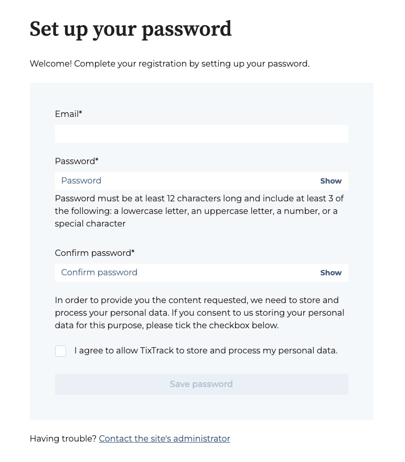
Most of nLiven's Customer Portal options require a login, so be sure you are logged into the Customer Portal at all times to access all resources available.
If you have not received an invitation from us to create a password and sign in, please contact support@nliventix.com. Once you receive the "Welcome to the nLiven Customer Portal" email from us, you can click to create your password, and you're all set.
Main Features
The Customer Portal is made up of three critical areas: the Tickets Portal, the Help Center (your documentation hub), and the Change Log (for product updates).
-
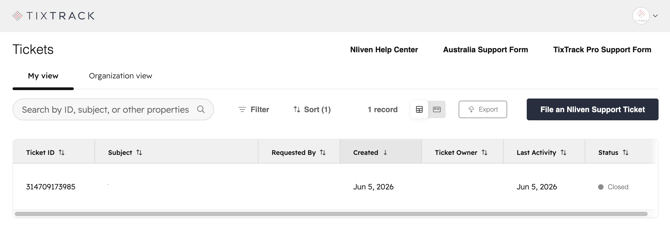
- Submit a support request, and a Ticketing Services team member will assist you soon according to our Service Level Agreement (detailed in this Help Center article).
- View and respond to your tickets at any time in one central place. You can view tickets submitted by members of your organization, as well.
-
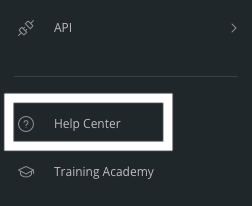
Help Center: Explore our robust documentation and how-to guides, available directly from the nLiven navigation menu (as shown below) . Important - Ensure you log in first as the majority of our articles require authentication to access.
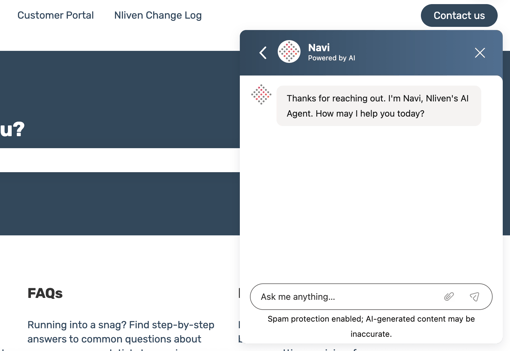
- AI-Powered Support — We've enabled our AI agent, Navi, directly in the Help Center to give you instant, intelligent answers around the clock — no waiting required.
- nLiven Change Log: Your hub for all nLiven product updates from new features to enhancements and upcoming changes.
- Important! Fill out this form to subscribe to receive an email each time we publish an update to the Change Log - this is the simplest way to stay in the loop on product updates.
How to File a Support Request
There are two ways to file a Support Ticket - directly from the Tickets Portal and via email to support@nliventix.com.
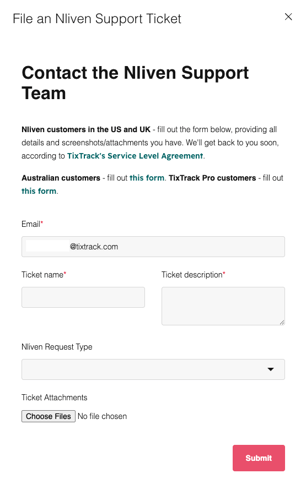
In the former option, fill out the request form with the proper "nLven Request Type" selected from the drop down menu, providing as much detail as possible - your account, event(s) affected, steps to reproduce what you have experienced, etc. The more detail provided, the quicker we will be able to triage your request. Lastly, add any attachments or screenshots that could be helpful and hit submit.
What Happens to my Support Request?
Glad you asked! Our Ticketing Services team members do their best to triage tickets as quickly as they come in. You can learn more about our process and Service Level Agreement in this Help Center article.
We have additional alerts in place for Urgent or High Priority requests that are business-impacting.
Urgent or High Priority
Incidents that are categorized as Urgent or High Priority are those where ticket sales, brand identity, guest experience and/or security are affected, as detailed in the "Prioritization of Issues" table at the bottom of the nLiven Support Request Process article. All other incidents will be normal or low priority.
Submit a support request with either "Urgent-Priority" or "High-Priority" followed by a short issue description in the subject line. Using email or our support form is the FASTEST way to get support.